
Keyboard shortcuts
Keyboard shortcuts are combinations of keys that allow users to perform tasks or commands quickly. By memorizing and utilizing keyboard shortcuts, users can streamline their workflow and navigate designs with ease.
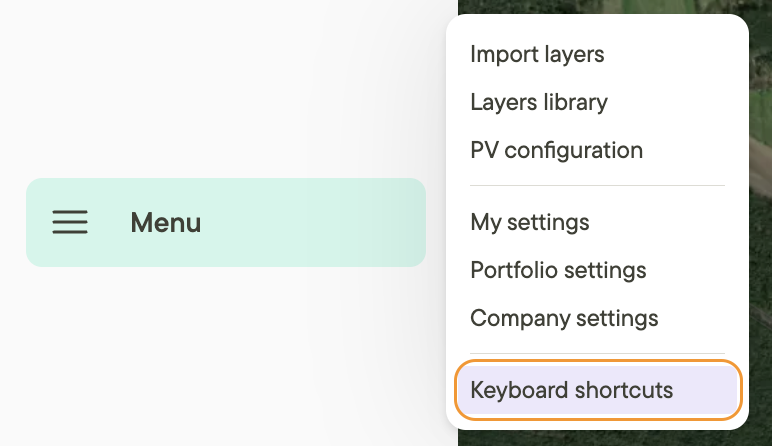
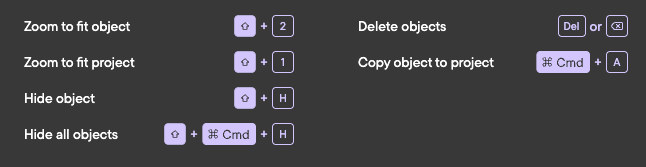
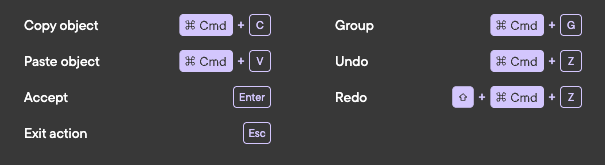
There is a library of keyboard shortcuts available from the Menu in the left side panel. There are lots of ways to work even faster in the product — and investigating these shortcuts might even show you some functionality you didn't know about.
The shortcuts
Essentials

Drawing

Map tools

Selection
Other
Additional resources
To see more helpful tips on how to work best in Glint take a look at these Helpful features you might have missed.