
Using SolarAnywhere as an irradiation data source
You can now perform PV analyses in Glint using your SolarAnywhere® TGY data. You either use your SolarAnywhere® API key or .csv files.

Configuring your SolarAnywhere® API key in Glint
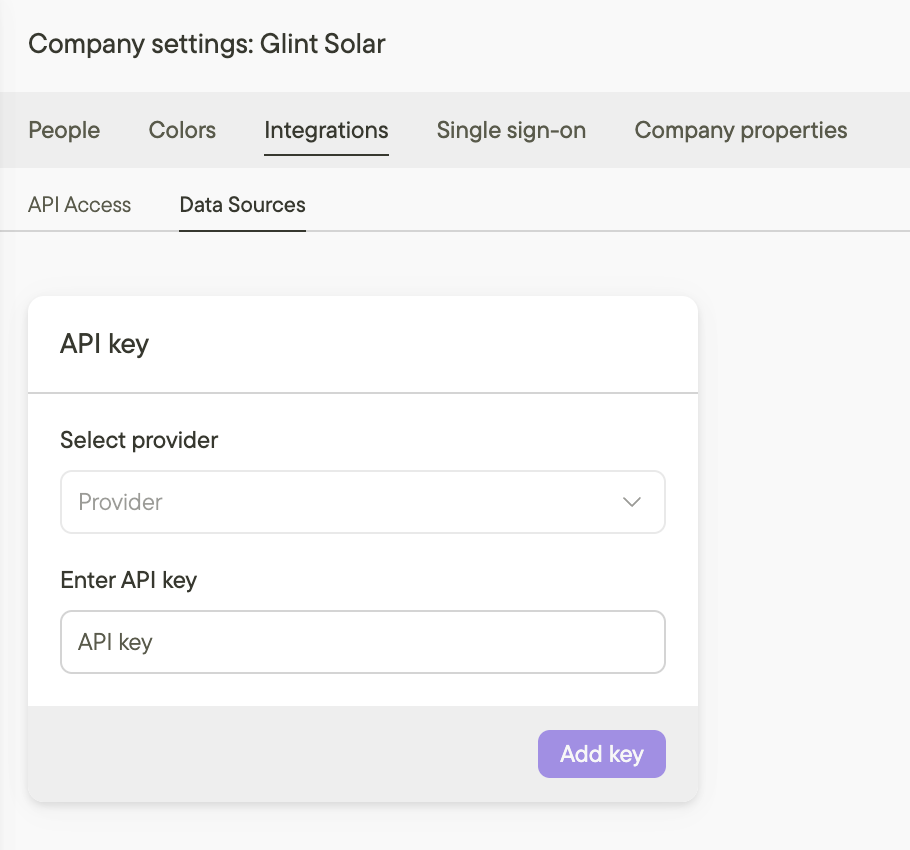
In order to use your SolarAnywhere API key directly in Glint to retrieve irradiation data and use it in future PV analysis, you have to set it up in your company settings.
- Go to Company Settings, select the API keys tab
- Select SolarAnywhere as a provider
- Paste your 64-character API key
- Select TMY or TMY+ as your licence type, and save by pressing Add Key
Running a PV Analysis with SolarAnywhere®
When running a PV analysis for your project, or defining a new PV profile, you can now select either SolarAnywhere API or SolarAnywhere csv as an irradiation source.
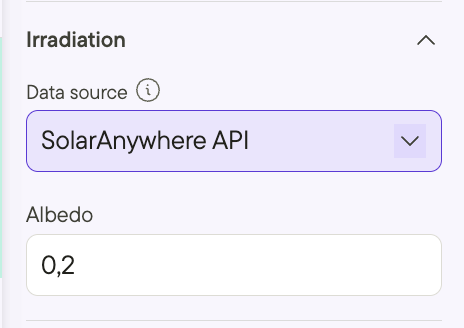
- SolarAnywhere API:
- Under irradiation data source, select to SolarAnywhere API. This is will use your API key (set up as shown above) to retrieve irradiance data from SolarAnywhere and use it in your analysis
- SolarAnywhere csv:
- Download typical-year data from SolarAnywhere in SolarAnywhere output format in 60-minute temporal resolution.
- Under irradiation data source, select to SolarAnywhere csv and upload the .csv file from your computer.
- Continue setting up your electrical configuration, layout, and Losses, then click Analyze.
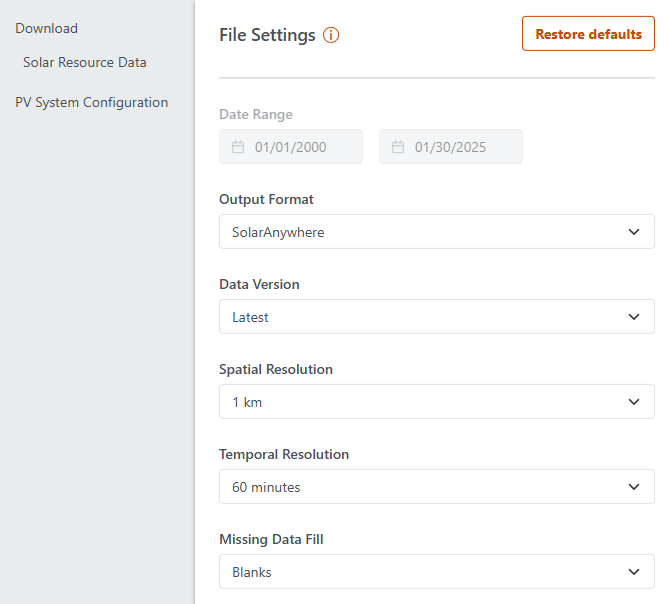
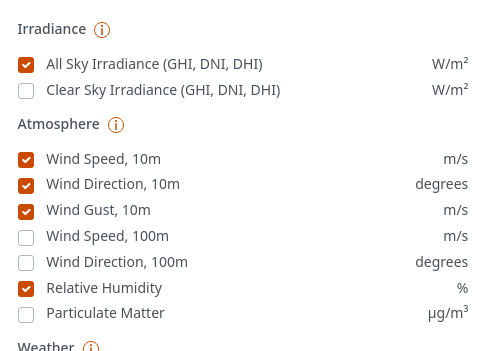
Please note that Relative Humidity is a required field but it is not included by default. Check that box to include Relative Humidity.
Additional resources
Wondering how losses recorded in Glint compare to those in PVsyst? Compare them here.
Want to adjust your PV profiles? Learn how to do so here.