Glint Solar Project API
Key Benefits
- Save 3-5 hours weekly on manual data entry between systems
- Improve data accuracy with automated synchronization
- Better pipeline visibility by ensuring all tools show the same project information
- Full control over which projects and fields sync between systems
What is an API?
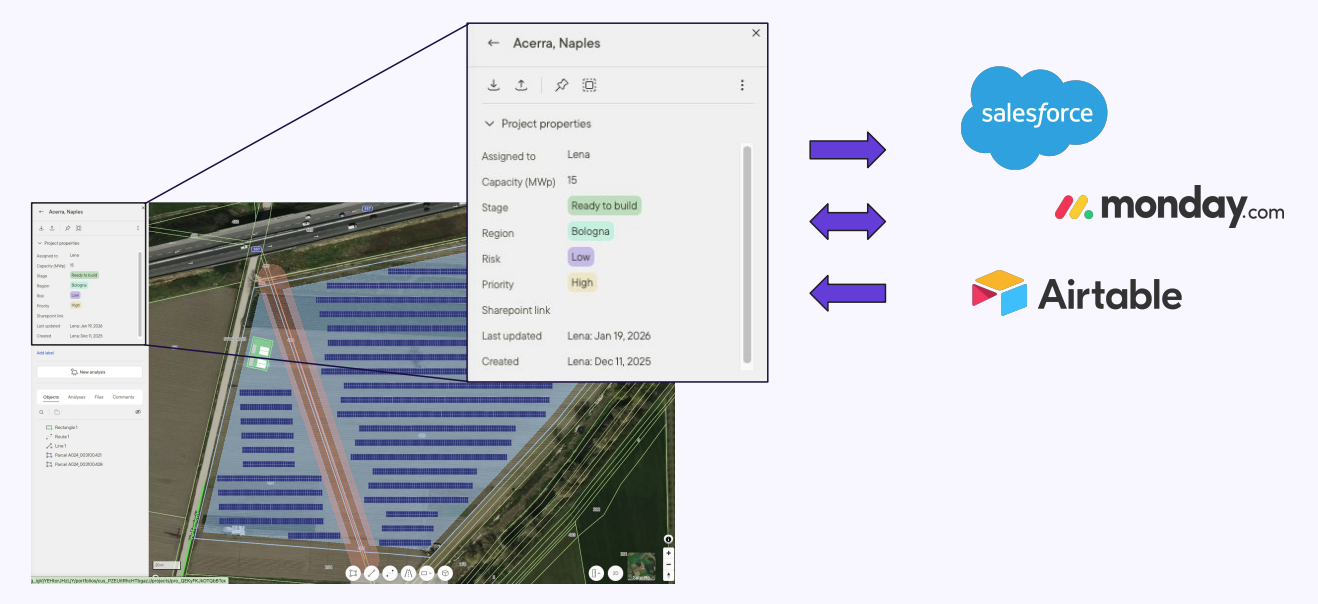
An application programming interface (API) is a connection between computer programs. It lets you build automated syncing of project data between Glint Solar and any other software, such as:
- CRM systems (Salesforce, HubSpot, Pipedrive)
- Project management tools (Monday, Asana, Airtable)
- Custom internal dashboards and reporting tools
How It Works
The API gives you full flexibility to build the integration that fits your workflow. Your developer uses the API to set up automatic syncing based on your rules.
Link to the full API documentation can be found here: https://api-docs.glintsolar.com/
What You Can Do
- Create Projects Automatically create a project in Glint Solar the moment a lead is qualified in your CRM, or vice versa.
- Read Project Data Pull project metadata (capacity, location, development stage, custom fields) into your internal dashboards or reports for comprehensive pipeline visibility.
- Update Project Data Automatically sync project names, capacities, stages, and custom properties across systems so your team always sees the same "source of truth."
- Delete Projects Automatically remove projects from Glint Solar when they're closed in your other system to keep your workspace clean and relevant.
Example Workflows
Once your developer builds the integration, here are some examples of what happens automatically:
- Create a project in your CRM β It appears in Glint Solar with mapped fields populated
- Update "Project Capacity" in Monday β "Capacity (MWp)" updates in Glint Solar instantly
- Change project "Stage" in Glint Solar β Your CRM pipeline view updates to match
- View all project data in your internal dashboards by reading directly from Glint Solar
Here is an example video of how it could work with a website:
Here is an example video of how it could work with Google Sheets:
Getting Started
Prerequisites
To use the Glint Solar Project API, you need:
- API access to your other tools (CRM, project management system, etc.)
- A developer to build the initial integration
- Admin access to both Glint Solar and your other systems
- Organization Admin permissions in Glint Solar to enable API access
Setup Steps
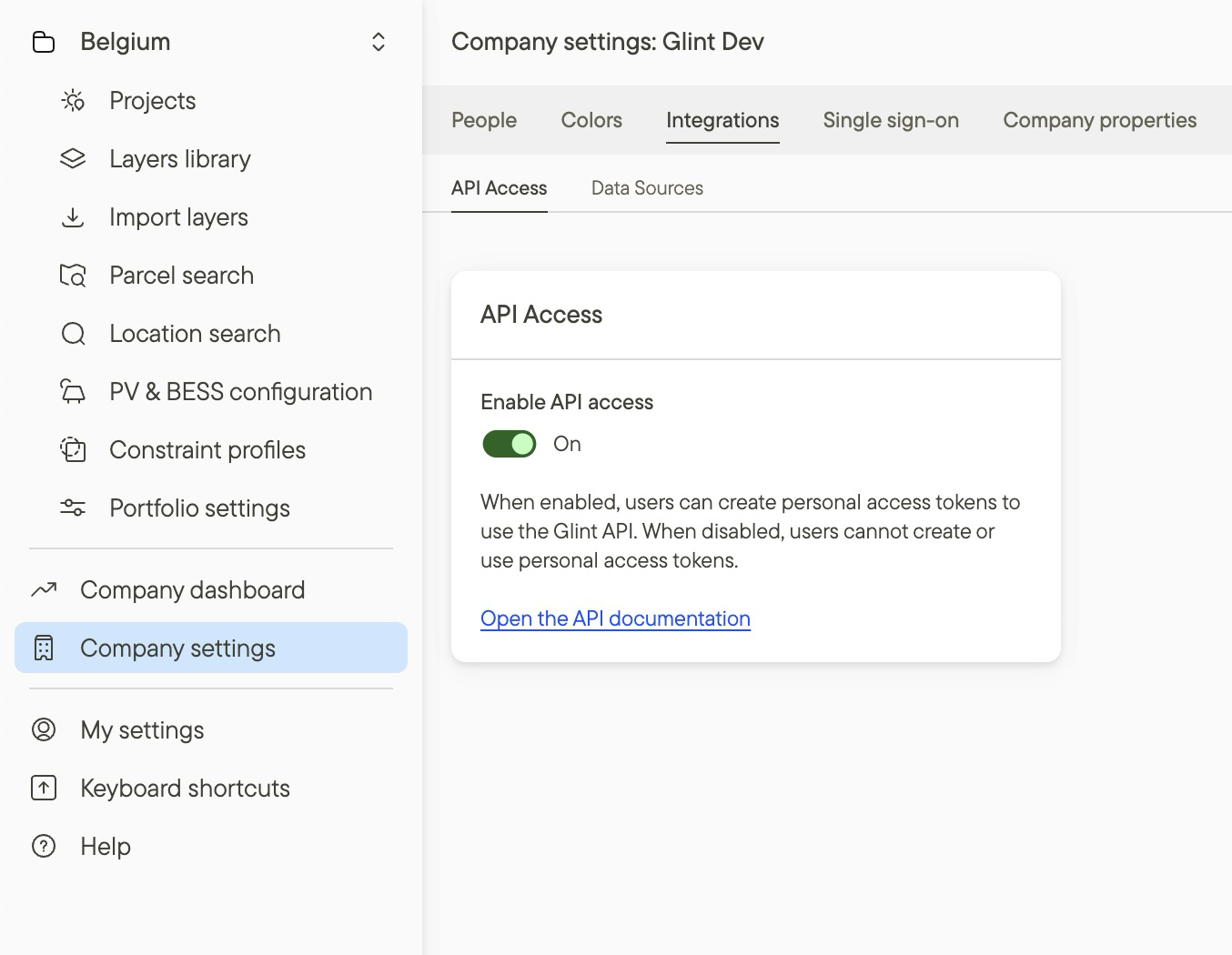
Step 1: Enable API Access (Organization Admin)
- Navigate to Organization Settings in Glint Solar
- Locate the API Access section
- Toggle API access ON for your organization
This provides a global "on/off" switch for your team's integrations.
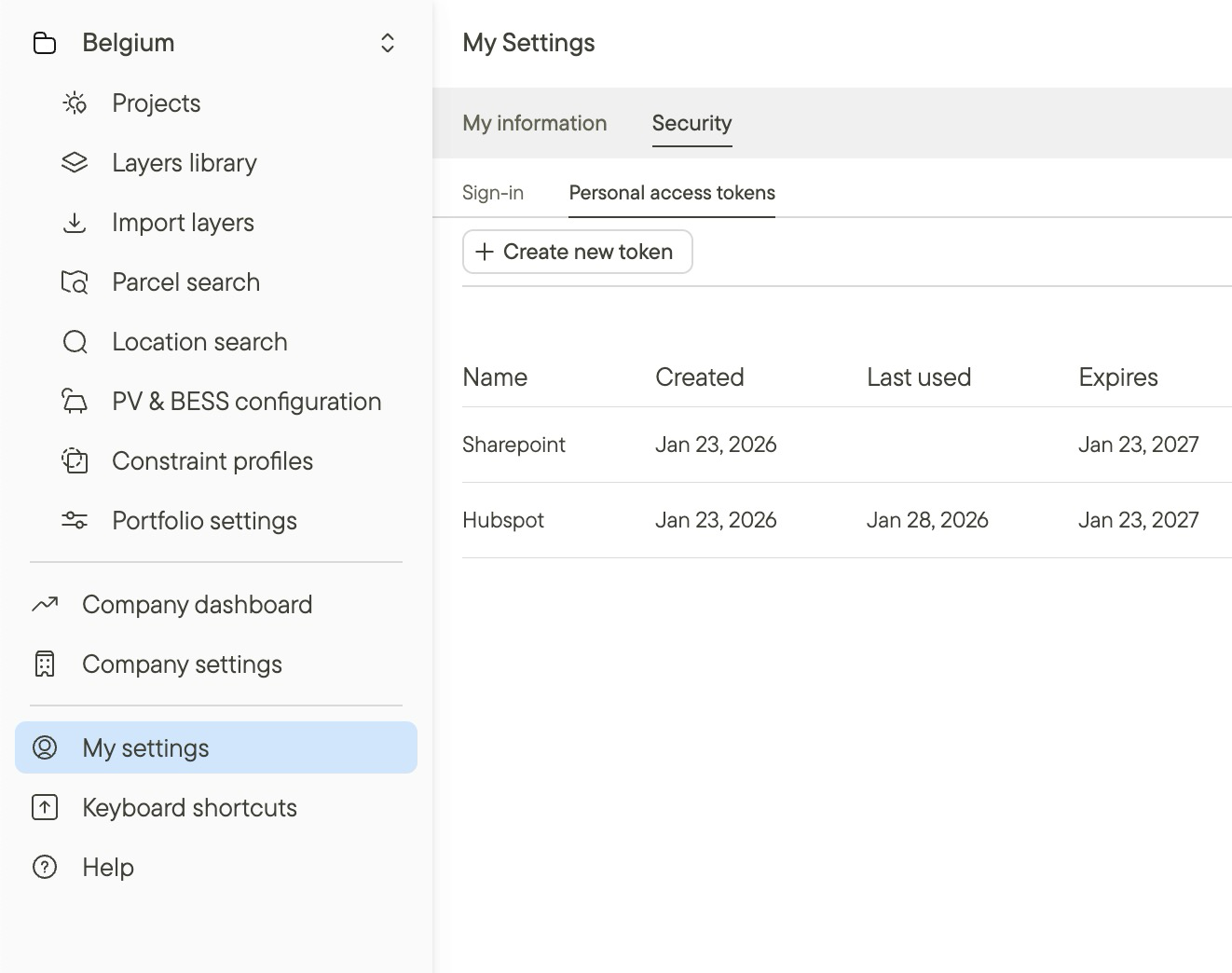
Step 2: Generate Your Personal Access Token
- Go to your User Profile in Glint Solar
- Find the Personal Access Token (PAT) section
- Click Generate Token
- Copy and securely store your token
Important: Your token inherits your existing user permissions in Glint Solar. Treat it like a passwordβkeep it secure and never share it publicly.
Step 3: Build Your Integration
Your developer can now use the Glint Solar API to build custom integrations. Refer to our complete API Documentation for:
- Available endpoints
- Request/response formats
- Code examples
- Best practices
Compatible Systems
The Glint Solar API works with any system that has an API, including:
- CRM Systems: Salesforce, HubSpot, Pipedrive
- Project Management: Monday, Asana, Airtable, ClickUp
- Custom Tools: Internal dashboards, reporting systems, or proprietary software
Security & Data Privacy
Encrypted Communications
All API communications are encrypted using industry-standard protocols to ensure your data remains secure.
Selective Data Sharing
Only the project data you explicitly choose to sync is shared between systems. Your site designs, solar analysis results, and technical calculations remain in Glint Solar unless specifically mapped.
Token Security Best Practices
- Store your Personal Access Token securely (use environment variables, not hard-coded values)
- Never commit tokens to version control systems
- Regenerate tokens periodically
- Revoke tokens immediately if compromised
- Each user should generate their own token (don't share tokens between team members)
Support & Resources
Technical Documentation
Complete API reference with endpoints, authentication, examples, and best practices: https://api-docs.glintsolar.com/
Need Help?
- Contact your Glint Solar representative
- Check our developer documentation for code examples and integration guides
Additional resources
Read more about how to set up custom project properties in Glint Solar.
Learn how to use charts in Glint Solar for easy, always up-to-date pipeline visibility.
Check out how our portfolio management works here.