
Move projects between portfolios
Move projects between portfolios to ensure team members can access relevant projects. This helps align Glint Solar with your team's actual workflow and processes.
How
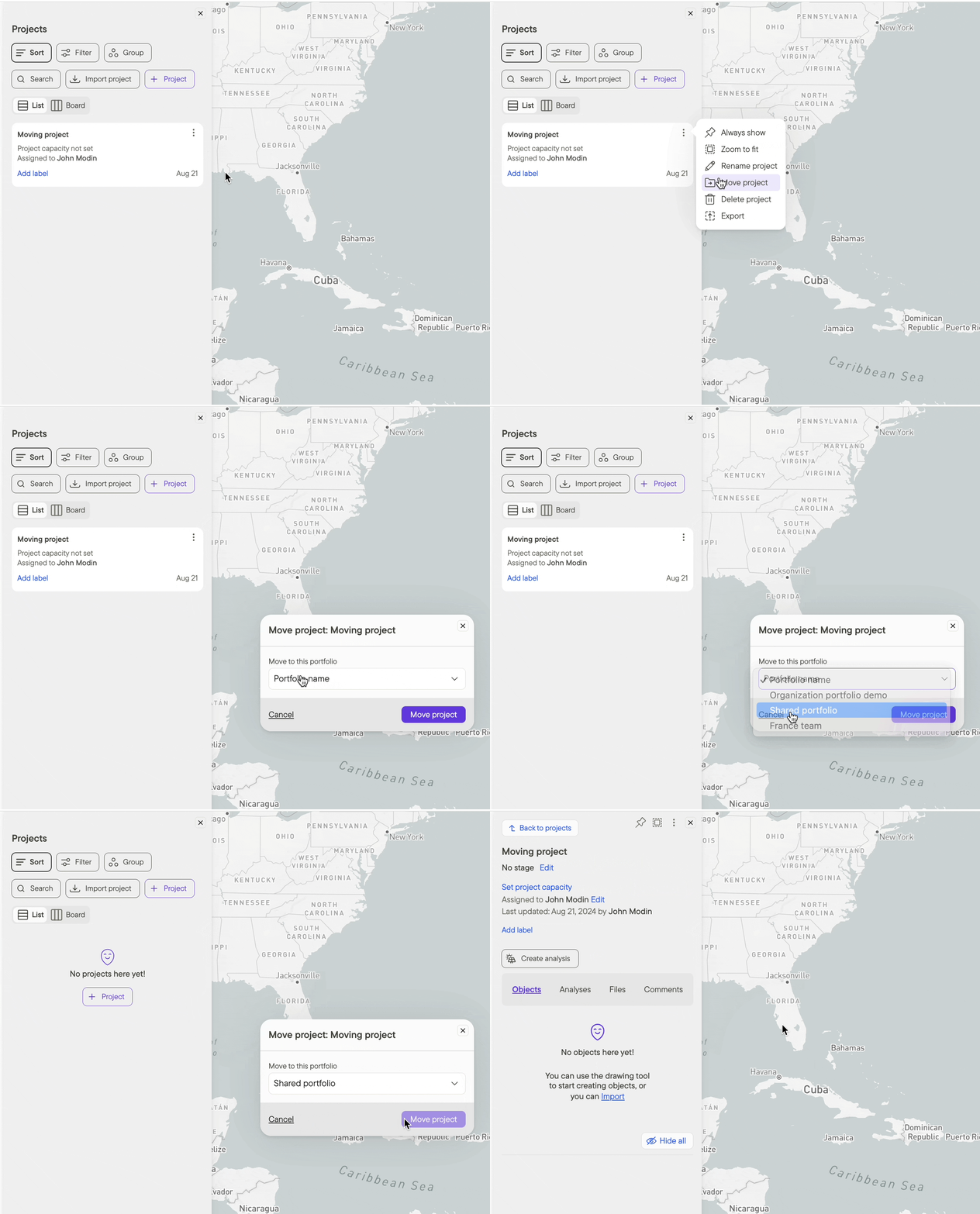
- From the three buttons on the project tile, select Move project
- From the dropdown menu, select the destination portfolio and click Move project
Additional resources
Visit the the Importing and exporting with Glint Solar article for more details on migrating work to/from Glint Solar.
The How to invite users and the Project portfolio overview articles are also great places to start for learning the basics of collaboration in Glint Solar.