Share portfolios with externals
Add team members to portfolios and set their appropriate access levels. You can also give external collaborators and partners direct access to portfolios in Glint, reducing the need for exports while maintaining accurate and complete data.
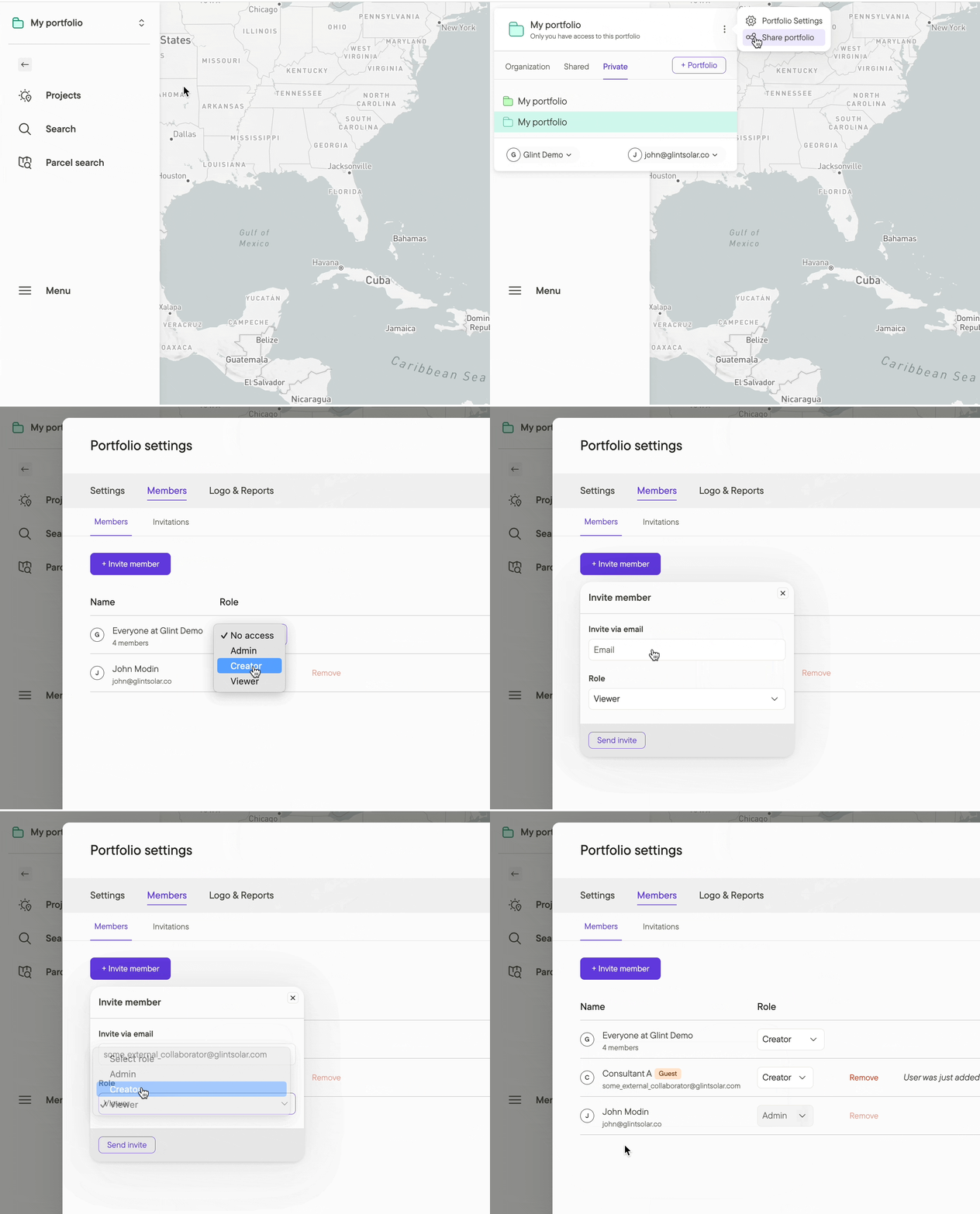
How:
- From the Menu button on the left sidebar, choose Portfolio settings
- Select the Members tab to invite new users or adjust user access
Note: Organization members and guest members have different levels of access to protect your privacy. Only organization members can create portfolios, and only Admins can add or remove users or change their access levels. For further information on Access Management, please see this article.
Additional resources
Read the Access Management in Glint Solar article for full details on how Organizations, Portfolios and Access relate to each other.